How to Prepare for a Video Interview
A timed run-through of the kit checks, lighting, clothing and phrasing that decide how a video interview goes before you answer a single question.
Quick answer
- One week before: test camera, microphone and internet on the employer's own platform, and keep a backup device charged (Glassdoor, undated).
- The day before: lay out a plain-coloured top — CareerOneStop says experts recommend avoiding patterned shirts because they distract on video (CareerOneStop, U.S. Department of Labor-funded, undated).
- On the day: log in early — the UK National Careers Service says allow half an hour, Indeed suggests 15 to 20 minutes — and confirm audio and video work.
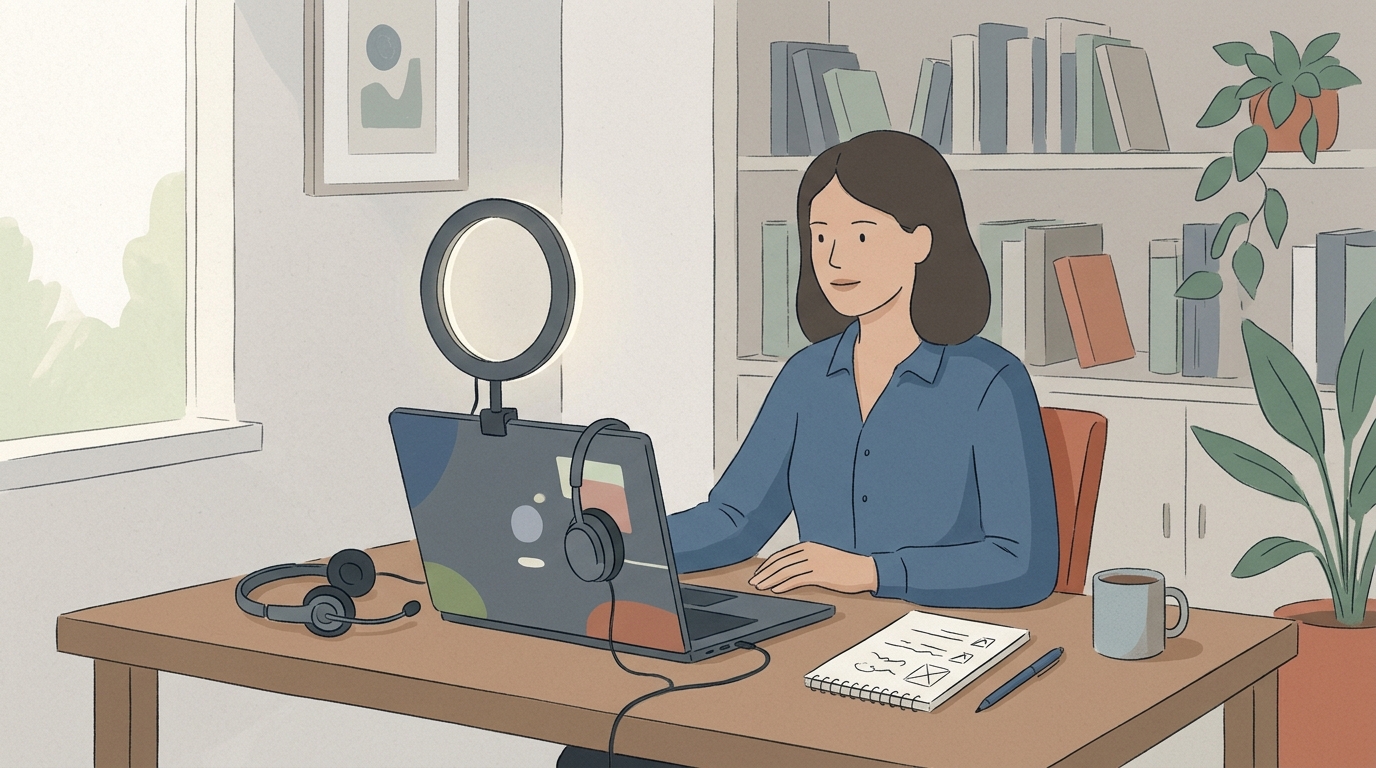
Preparing for a video interview means doing two jobs at once: rehearsing your answers, and making sure the technology, lighting and background do not get in the way of them. Most of that work is physical and checkable — test the camera and microphone, pick a plain background, log in early, and keep the interviewer's phone number on paper.
Platforms, dress expectations and how much notice you get vary by employer, sector and country, so follow whatever the invitation email specifies over anything general here.
Your Prep Timeline
- One week before — set up and test the kit (45 minutes). Open the platform named in your invitation and run a test call with a friend. CareerOneStop advises being tech-ready by checking your computer, camera and microphone and practising on the employer's video platform (CareerOneStop, U.S. Department of Labor-funded, undated). You do not need specialist equipment: Canada's Public Service Commission says any computer or laptop with a webcam, or a smartphone or tablet with video-recording capability, will suffice (Public Service Commission of Canada, undated).
- Five days before — fix the frame (30 minutes). Sit where you will sit on the day and study your own preview window. Indeed advises making sure your light source comes from behind your computer and that your background is not distracting (Indeed, undated); a Canada-focused guide citing Job Bank similarly advises sitting in front of a plain background (ibu.ca, undated). Raise the camera to eye level on a stack of books if you are looking down at it.
- Three days before — research the employer with a method (60 minutes). Read the job advert line by line and write each requirement in one column; in the next, write the example you will use for it. Then read the employer's own 'about' and newsroom pages and its most recent published report or filing. Take three specific facts into the call.
- Two days before — rehearse answers in STAR form (60 minutes). The UK National Careers Service advises using the STAR method — situation, task, action, result — to structure interview answers (National Careers Service, undated). Record yourself on your phone answering six likely questions and watch them back once.
- Day before — ask for the fallback number and retest (20 minutes). CareerOneStop advises asking for the interviewer's phone number so the interview can continue by phone if technical issues occur (CareerOneStop, undated). Glassdoor advises testing camera, microphone and internet connection the day before and keeping a backup device charged (Glassdoor, undated).
- Morning of, then straight after (30 minutes). Close down other windows and turn off your mobile phone, as the National Careers Service advises (National Careers Service, undated) — keep it on silent and within reach only if it is your technical backup. Put a sign on the door. Afterwards, spend ten minutes writing 2 or 3 things that went well and 2 or 3 you could improve next time, as the same service recommends (National Careers Service, undated).
Day-Of Checklist
- Camera, microphone and internet connection tested on the actual platform this morning, with sound played back so you have heard your own audio.
- Backup device charged to full and signed in to the same meeting link (Glassdoor, undated).
- Interviewer's phone number written on paper beside you, not only saved in your phone (CareerOneStop, U.S. Department of Labor-funded, undated).
- Plain-coloured top laid out and patterned shirts set aside (CareerOneStop, undated); heavy jewellery removed (National Careers Service, undated).
- Lamp or window positioned behind the screen so the light falls on your face (Indeed, undated).
- Background cleared to a plain wall or tidy section of the room (ibu.ca citing Job Bank, undated).
- Printed copies of your CV or resume and cover letter, plus a notepad and pen, on the desk (ibu.ca, undated).
- Other windows, tabs and desktop notifications closed; phone on silent and face down (National Careers Service, undated).
- Water poured, door closed, and anyone else in the building told the start time — set aside at least an hour (ibu.ca citing Job Bank, undated).
- Logged in and waiting: the National Careers Service says log in with at least half an hour to spare, Indeed suggests 15 to 20 minutes, and CareerOneStop advises confirming audio and video are fully operational before the start (undated).
What to Say in Tricky Moments
Opening the call
Greeting, first 10 seconds
"Good morning — I can see and hear you clearly. Thanks for making the time. Shall I start, or would you like to run through the format first?"
Say it to the camera lens. CareerOneStop and the UK National Careers Service both advise making eye contact by looking at the camera rather than at the face on screen (undated).
'Tell me about yourself'
A 60-second STAR-shaped opener
"I'm a scheduling coordinator. Our clinic ran 40-minute delays, so over six weeks I rebuilt the booking template in our practice software. Average wait dropped to 12 minutes and no-shows fell by a quarter."
Harvard's career services office says a strong answer here is clear, focused and easy to follow, and in most cases you can say everything you need in about 30 to 90 seconds (Harvard FAS Office of Career Services, 2026).
When the audio lags or freezes
Naming the problem
"You cut out there — could you repeat the last part? If the line keeps dropping, I'm happy to switch to the phone number you sent."
The National Careers Service advises pausing at the end of a question before answering, because the slight online delay makes talking over each other easy (National Careers Service, undated).
Declining a current-salary question
Redirecting without a figure
"I'd rather focus on the value of this role than my current package. What range have you budgeted? I can tell you quickly whether that works."
Indeed advises that if you would rather not answer, you can professionally redirect and shift focus without revealing past pay (Indeed, undated). What employers may legally ask about pay history varies by country and, in some places, by state or province.
Asking about next steps
Closing question
"Thank you — this has been useful. What are the next stages, and when would you expect to let candidates know? Is there anything I can send over meanwhile?"
Frequently asked questions
How early should I log in?
Log in half an hour before the start time, as the UK National Careers Service advises, so you have room to fix a problem; Indeed suggests 15 to 20 minutes as a minimum (undated). Stay muted until the interviewer joins.
Do I need to dress fully, or just from the waist up?
Dress fully. CareerOneStop suggests a plain-coloured top with 'interview' pants or skirt (CareerOneStop, U.S. Department of Labor-funded, undated), partly because you may need to stand. Avoid patterns and a lot of jewellery, which distract on camera (National Careers Service, undated).
What should I have on the desk?
Printed copies of your resume and cover letter, a notepad and pen, the interviewer's phone number on paper, and a glass of water. A Canada-focused guide drawing on Job Bank recommends the printed documents and notepad even for video interviews (ibu.ca, undated).
What do I do if my internet fails mid-answer?
Call the interviewer's phone number and continue by voice. CareerOneStop advises asking for that number in advance precisely so the interview can continue if technical issues occur (CareerOneStop, undated). Keep a charged backup device signed in to the same link.
Sources
- CareerOneStop (U.S. Department of Labor-funded) — Master Virtual Job Interviews with These 4 Tips video
- CareerOneStop (U.S. Department of Labor-funded) — Virtual interviews

Written by
Priya tracks wages, layoffs, and the slow shifts in what counts as a stable job. She writes for readers trying to make sense of numbers that rarely match their own experience.